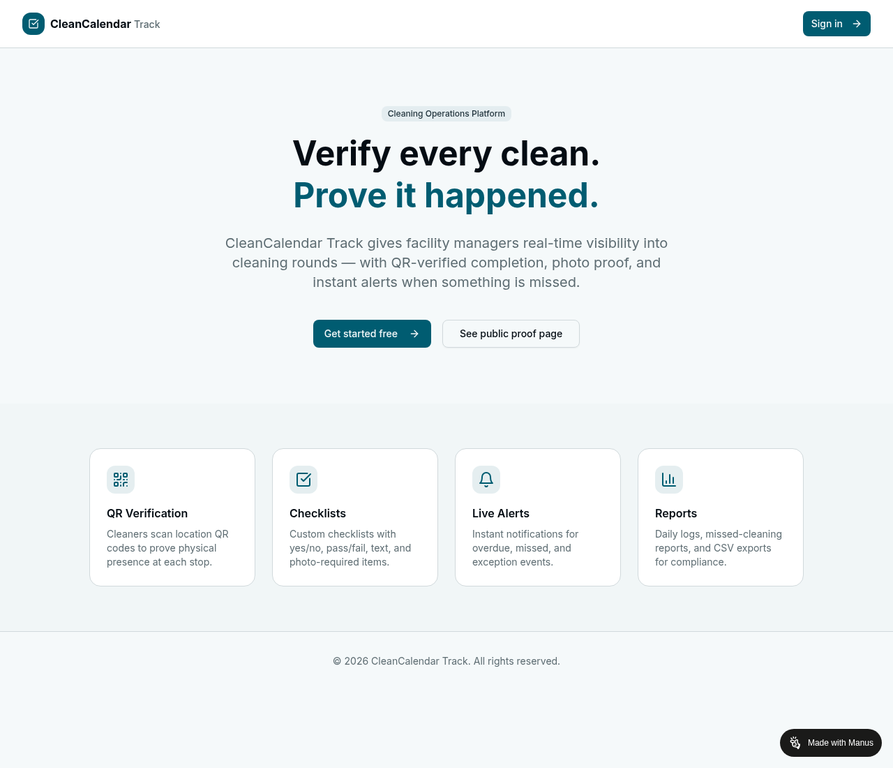
Cleaning Operations Platform

Verify every clean.
Prove it happened.

CleanCalendar Track gives facility managers real-time visibility into cleaning rounds — with QR-verified completion, photo proof, and instant alerts when something is missed.

No credit card required · Free to start · GDPR compliant
CleanCalendar Track — admin dashboard showing job status overview
✓ Completed Restroom Block A — 08:47
⚠ Overdue Kitchen — Alert sent
The Problem

Paper sign-in sheets don’t prove anything.

Anyone can sign a sheet. Nobody can fake a timestamped QR scan from inside the building.

📄

No proof of physical presence

A signature on a clipboard tells you nothing about whether the cleaner actually entered the room, let alone cleaned it. There is no timestamp, no location, and no audit trail.

👁

No real-time visibility

You find out a clean was missed when a client complains — not when it happens. By then the damage is done. You need to know the moment a window closes without a completion.

📋

No audit trail for compliance

Hospitals, airports, and commercial facilities need to demonstrate cleaning compliance. A folder of paper sheets is not an audit trail. A timestamped digital log with photo proof is.

Core Features

Everything you need to run accountable cleaning operations

QR Verification

Proof of physical presence, not just a signature.

Every location has a unique QR code. Cleaners scan it on arrival — the scan records their identity, an exact timestamp, and proves they were physically there.

📅

Smart Scheduling

Set it once. The system tracks it forever.

Define daily, weekly, or sub-daily cleaning windows per route. The job engine runs automatically — generating, tracking, and escalating jobs without manual intervention.

🔔

Instant Alerts

Know the moment a clean is missed — before your client does.

Automated email alerts fire when a job is overdue, missed, or flagged with an exception. Supervisors can reopen missed jobs with a reason logged to the audit trail.

🔗

Public Proof Page

Give your clients a URL, not a spreadsheet.

Every location has a public proof page — no login required. Share the link or post a QR code so clients can verify the last clean at any time from their phone.

📋

Digital Checklists

Custom checklists with yes/no, pass/fail, text, and photo-required items.

Attach a custom checklist to each location. Cleaners complete it on their phone when they finish the job. All responses are stored and visible in the job detail view.

📷

Photo Proof

Visual confirmation, stored and timestamped.

Require photo submission for any checklist item. Photos are stored against the job record and visible to supervisors and clients as part of the audit trail.

👥

PIN-Only Cleaner Login

No app download. No email required. Just a mobile number and a PIN.

Cleaners log in with a mobile number and a PIN set by their supervisor. No app installation, no email address, no OAuth — just a mobile browser and a PIN.

📊

Compliance Reports

Daily and weekly summaries, exportable as CSV.

View compliance rates per site and per route. Export full job logs as CSV for import into Excel, Google Sheets, or compliance management systems.

How It Works

Up and running in three steps

From setup to live monitoring in under 30 minutes.

01

Set up your sites and locations

Create your sites (e.g., "Terminal 1", "Office Building Floor 3"), add the individual locations within each site (restrooms, corridors, kitchens), group them into routes, and define your schedule rules — daily, weekly, or every 30 minutes for high-traffic zones.

Print the QR tag sheet for each location and post the codes on the wall.

CleanCalendar Track admin jobs dashboard showing job status cards
02

Cleaners scan and complete checklists

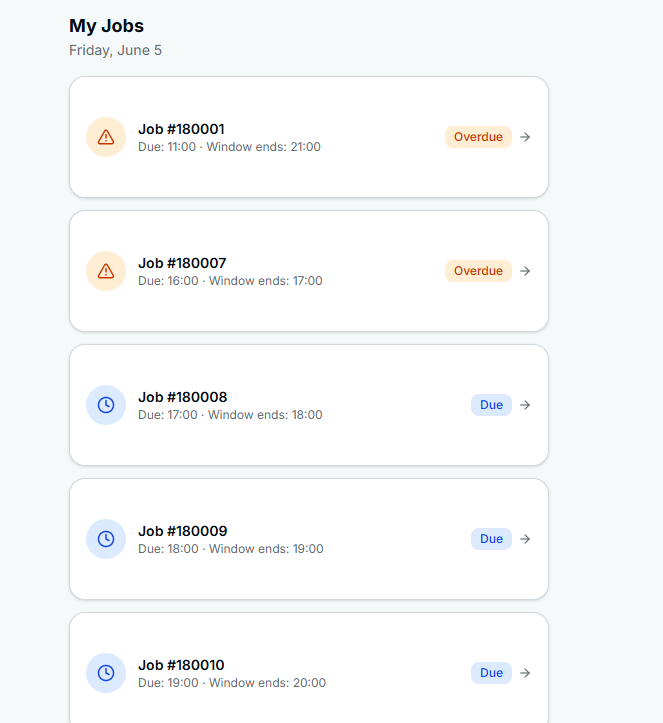
Cleaners log in at /cleaner-login with their mobile number and PIN — no app download, no email required. They see their assigned jobs for the day, arrive at each location, scan the QR code to prove presence, complete the checklist, and submit.

Job status updates in real time on the supervisor dashboard.

CleanCalendar Track cleaner mobile interface showing My Jobs list with status badges
03

Supervisors monitor. Clients verify.

Supervisors see a live view of all jobs — Active, Completed, Issues — with colour-coded status badges. Email alerts fire the moment a job goes overdue or missed. Missed jobs can be reopened with a reason logged to the audit trail.

Clients scan the QR code in the building or visit the public proof page URL to verify the last clean — no login required.

Women’s Restroom — Floor 3 Head Office Building
✓ Cleaned
Last cleaned: Today at 08:47
By: Joe Cleaner
Last 3 cleans
✓ Today 08:47 — Joe Cleaner
✓ Yesterday 08:51 — Joe Cleaner
✓ Mon 08:44 — Joe Cleaner
QR Verification

Proof of physical presence, not just a signature.

Every location has a unique, tamper-resistant QR code. When a cleaner arrives, they scan it with their phone camera — no app download required. The scan records:

  • The cleaner’s authenticated identity
  • An exact timestamp
  • The specific location scanned

The code cannot be scanned remotely. The cleaner must be physically present at the location to scan it — making it an irrefutable proof of presence.

Admins generate a printable QR tag sheet from the QR Tags page — formatted for A4 landscape, with two codes per location: one for cleaner scanning, one for the public cleaning log display.

Start Free Trial →
Women’s Restroom
Head Office — Floor 3
Cleaner Scan
Cleaning Log Display
✓ Scan recorded Joe Cleaner — 08:47:22
Admin Dashboard

Real-time visibility across every site and every shift.

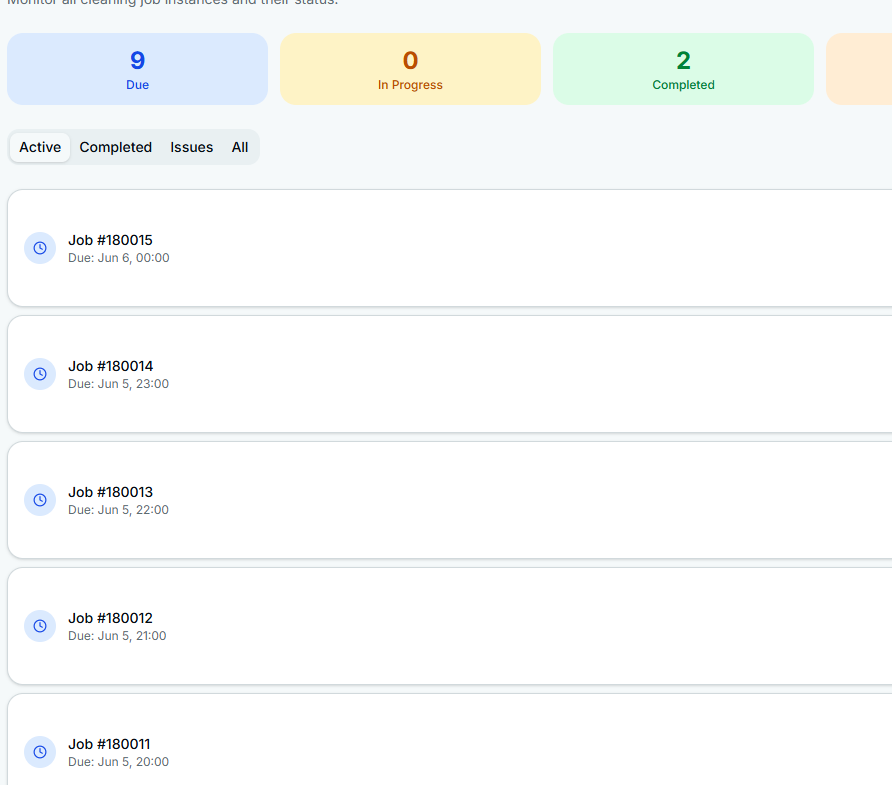
The Jobs page gives supervisors a live view of all cleaning jobs across the tenant, with four tabs: Active, Completed, Issues, and All. Each job card shows:

  • Schedule name and assigned cleaner
  • Due time and window end time
  • Colour-coded status badge (Due, In Progress, Overdue, Completed, Missed)

Supervisors can filter by schedule, click any job to view the full detail — checklist responses, photo proof, timestamps, and audit notes — and reopen missed jobs with a reason that is logged permanently to the audit trail.

CleanCalendar Track admin jobs list with status summary cards and job rows
E-ink Display

A live cleaning log, visible to everyone in the building.

Each location has a cleaning log display page at /display/:token — a public, no-login screen designed to be shown on a wall-mounted screen or tablet at the location.

The display uses a simulated e-ink aesthetic — paper-white background, high-contrast typography — to be readable in all lighting conditions. It shows:

  • Last cleaned status with timestamp and cleaner name
  • Next scheduled cleaning window
  • Scrollable log of the last 20 jobs
  • Auto-refresh every 60 seconds

This is Phase 1 of a planned rollout of dedicated e-paper displays that will be installed at each location in Phase 2.

Women’s Restroom Head Office — Floor 3
Cleaned
Today at 08:47 — Joe Cleaner
Next clean: Today at 12:00 — Morning Round
✓ 08:47 Joe Cleaner
✓ Yesterday 08:51 Joe Cleaner
✓ Mon 08:44 Joe Cleaner
✗ Sun — Missed
Alert System

Know the moment a clean is missed — before your client does.

Automated email alerts are sent to supervisors and admins when jobs require attention.

Job Overdue

The cleaning window has closed and the job has not been completed.

Job Missed

The grace period expired with no completion. The job is now in the Issues tab.

📷
Proof Missing

The job was completed but no photo was attached, and a photo was required.

Exception Raised

A checklist item was flagged during completion — requires supervisor review.

Email alerts are delivered via SendGrid. Admins configure their own API key, from-email, and from-name directly in the Settings page. The key is stored AES-256 encrypted and never exposed in the frontend. A test-send button verifies the configuration before going live.

Team Management

Two onboarding paths. One team.

The Members page supports two ways to add users to your team:

📧
Email invite

For supervisors and admins who log in via Google or Microsoft OAuth. An invite link is generated and sent to their email address.

📱
PIN-only cleaner

For cleaners who may not have an email address. The admin enters the cleaner’s name and mobile number, sets a PIN, and the cleaner logs in at /cleaner-login. No email ever required.

Admins can set, change, or clear a cleaner’s PIN at any time. Each member card shows their name, role, mobile number, and PIN status (green = set, amber = not set).

Members
A
Adrian Manager Admin — +356 99 123 456
J
Joe Cleaner Cleaner — +356 99 234 567
PIN ✓
M
Maria Cleaner Cleaner — +356 99 345 678
PIN ✓
T
Tom Supervisor Supervisor — +356 99 456 789
Who It’s For

Built for multi-site cleaning operations

CleanCalendar Track is designed for any facility with multiple cleaning zones that need to be tracked independently.

🏛

Airports & Transport Hubs

Track cleaning rounds across terminals, gates, and restrooms. Prove compliance to regulatory bodies with a timestamped digital audit trail.

🏢

Hotels & Hospitality

Monitor housekeeping rounds across every floor and room type. Instant alerts when a room is not turned over before check-in.

🏢

Office Buildings

Give tenants a public proof page for their floor. Demonstrate cleaning compliance to building management and corporate clients.

🛒

Shopping Centres

Track restroom and common area cleaning across a large footprint. Sub-daily schedules ensure high-traffic zones are cleaned every 30 minutes.

🏥

Hospitals & Healthcare

Meet infection control requirements with a verifiable, photo-backed audit trail for every cleaning round across every ward and zone.

🏫

Schools & Universities

Manage cleaning schedules across classrooms, labs, and common areas. Reports export as CSV for compliance submissions.

FAQ

Common questions about CleanCalendar Track

No. Cleaners access the platform entirely through their mobile browser. QR code scanning, checklist completion, and photo uploads all work in Safari and Chrome without any app installation.

No. Cleaners log in with a mobile number and a PIN set by their supervisor. Email is optional and only required for admin and supervisor accounts.

Each QR code is unique to a physical location. The scan records a timestamp and the cleaner’s authenticated identity. The code cannot be scanned remotely — the cleaner must be physically present at the location to scan it.

Yes. Each location has a public proof page accessible via a unique URL or QR code. No login is required to view the last-cleaned status and cleaning history.

The system automatically marks the job as Missed when the grace period expires. An email alert is sent to the supervisor. The job appears in the Issues tab of the Jobs page. Supervisors can reopen the job with a reason, which is logged permanently to the audit trail.

All data is stored in a hosted MySQL database with encrypted connections. API keys such as SendGrid are stored AES-256 encrypted. Session tokens are signed with a JWT secret. The platform uses Manus OAuth for admin authentication and bcrypt-hashed PINs for cleaner authentication.

Yes. The platform is designed for multi-site operations. A single account can manage unlimited sites, locations, routes, and schedules. All reporting is scoped correctly to each level of the hierarchy.

The scheduling engine supports sub-daily intervals — every 30 minutes, every 2 hours, or any custom interval. Each schedule rule defines a window, a grace period, and an assignment strategy. The job engine runs automatically every 5 minutes and generates job instances for each upcoming window.

Ready to replace paper sign-in sheets?

Get started with CleanCalendar Track today. Free to start, no credit card required.

No credit card required · Free to start · GDPR compliant